Biscuit Builder
I started a new job as a cook at Biscuit World and built an AI assistant with Claude to help me learn the menu.
Charleston, WV
Imagine never having worked in a fast-food style restaurant a day in your life, then one morning you walk into Biscuit World and someone hands you a shirt and hat and tells you to start making eggs.

A sign that I should make some biscuits.
There are over 50 menu items, including 20 biscuit sandwiches, and as a cook you have to know how to make all of them, quickly. That’s what I was up against and by the end of my first day there was an obvious problem.
Just like anything new, the only way to learn and get up to speed is through repetitions—in this case, to get good at making biscuits you have to make a lot of biscuits. But the problem is, since you’re the new guy and you don’t know how anything is made, the more experienced cooks naturally jump in and take the lead.
In turn, that makes it harder to get the repetitions that will make you more experienced.
And since you're not experienced, the other cooks tend to jump in and take the lead.
And so on…
That’s why I built Biscuit Builder.
It’s a native iPhone app that lets me ask Claude specific questions about the menu and kitchen details using a Bluetooth headset.
Apple’s on-device speech recognition turns my question into text, Claude answers using a master menu I built from the kitchen’s build boards, and my phone reads the answer back in my ear. It runs on Haiku, and each question costs about $0.0004. There’s also a quiz mode for practicing and familiarizing myself with the menu through interactive exercises.
So at a high-level, the big idea is that you’re gathering a bunch of specialized information that’s dispersed throughout the kitchen environment—cooks have knowledge in their heads, there are different build boards and sheets of paper taped on walls and in binders, there’s a customer-facing website with pictures and product descriptions.
Everything you need to know as a new cook is there, but it’s spread out all over the place.
So you’re gathering as much of that information as you can, then organizing it into a singular medium that your brain can access and absorb more efficiently than it can when everything is scattered.
That’s the entire purpose of building a tool.
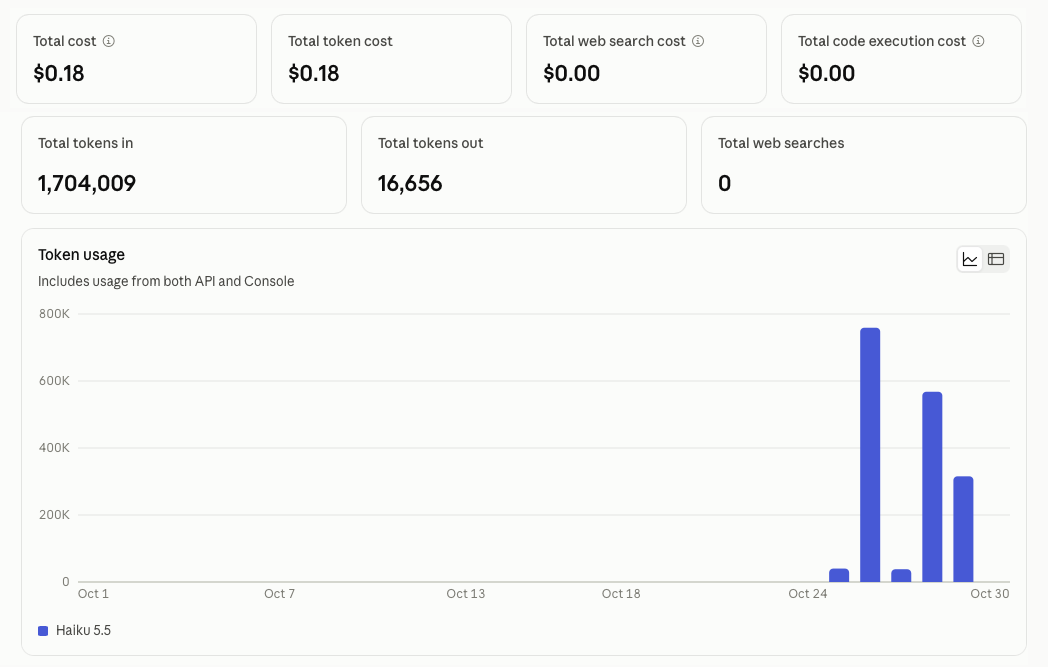
What’s unique is that AI makes it possible for the medium to be a custom app that lives on my phone, and that I could build over a weekend with nothing but natural language, for roughly 18 cents.
Having the app lets me simulate repetitions at home and build my confidence just enough so when I get back in the kitchen I can step up and take on real orders, gain experience, and break out of the "novice loop" in less time.
I was even allowed to wear my headset in the kitchen to test the app while I'm working. So if I’m about to make a Dottie and I can’t remember what kind of cheese goes on it, I can just ask my assistant “What kind of cheese goes on the Dottie?” and it will tell me.

Biscuit brain.
I made this page to explain Biscuit Builder and how it works. By sharing it, maybe it will give you an idea for something you want to build, using your own material, or a solution to your own problem.
For me, I had to quickly learn a bunch of biscuits. For you it could be something completely different. It could be anything.
Tap the video below to watch a short demo I recorded. There are more recordings further down on the page.
Sound on
How it works
The data
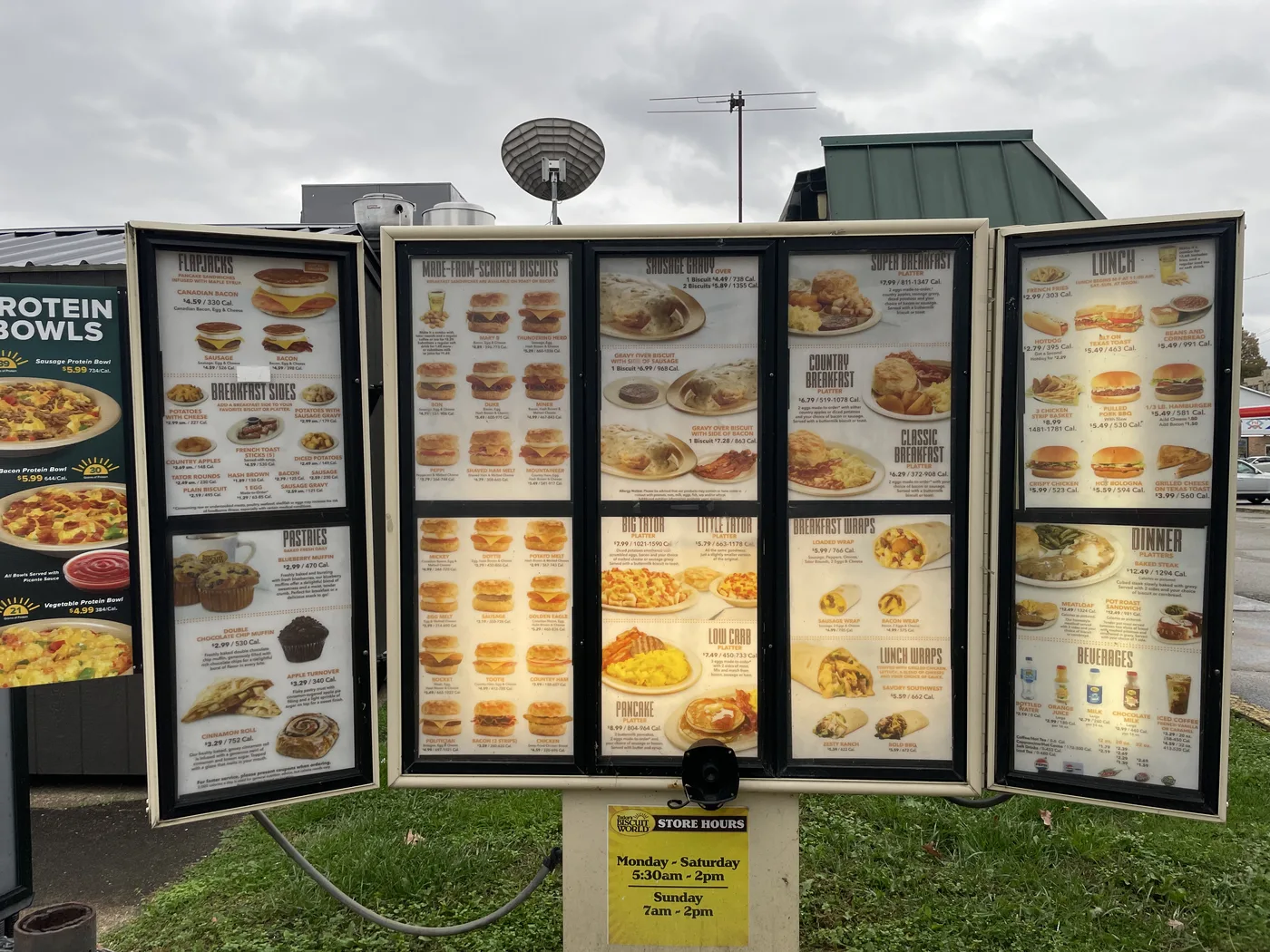
I took pictures of the ‘build boards’ in the kitchen that show how the biscuit sandwiches are prepared, then gave them to Claude and asked it to build a master menu. I also passed it links to their company website to fetch all the remaining items from the lunch, dinner, and sides menus. These were also added to the master menu, along with other basic process details I picked up in the kitchen.
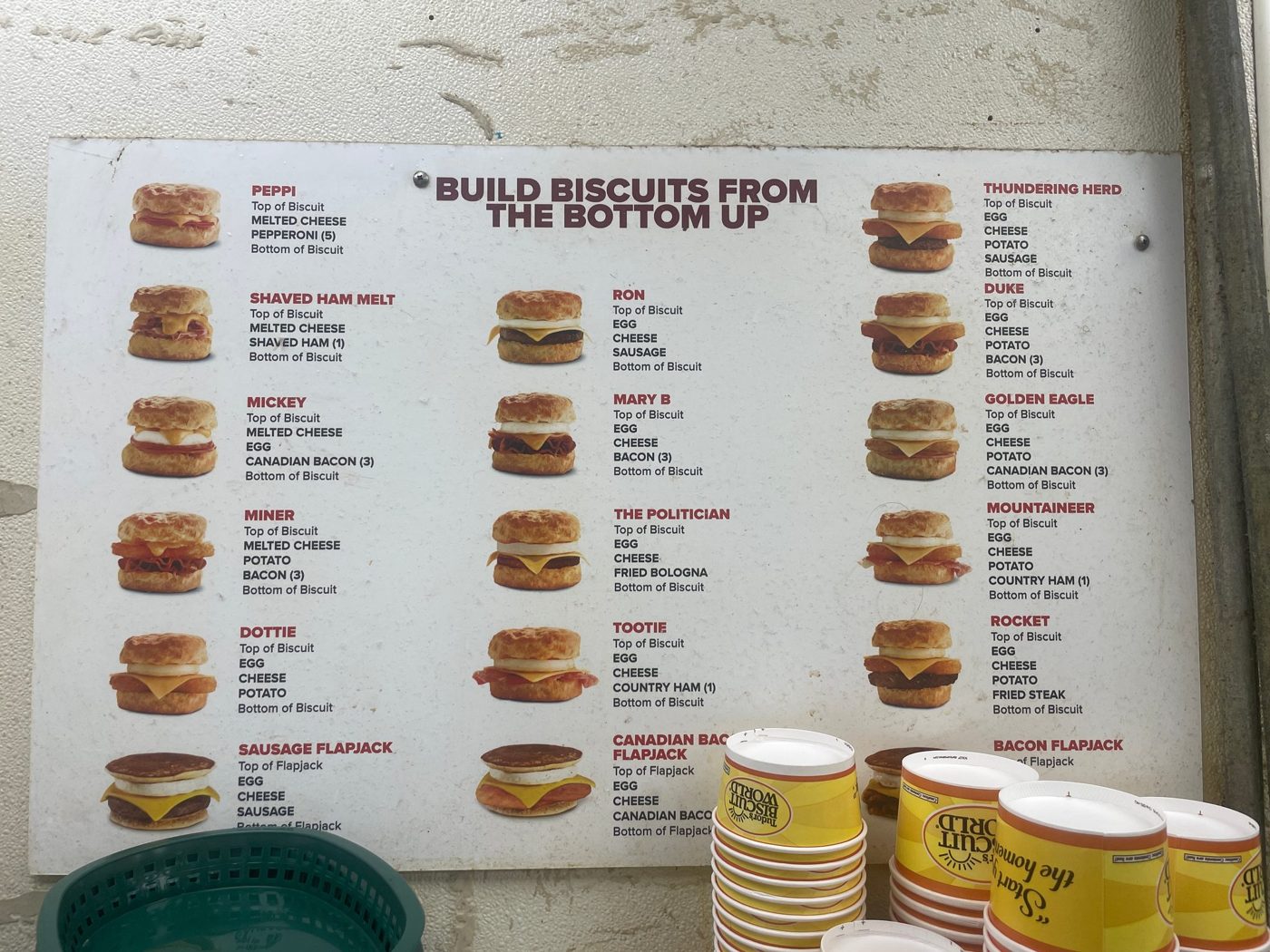
The master menu is a single list inside the app with 48 of the main menu items so far. Each item has its name, its category (biscuit, flapjack, wrap, breakfast platter, lunch, or dinner), and its ingredients in the order they go on, with counts where I’ve noticed them so far, like three bacon or five pepperoni.
For example, the Mickey is three Canadian bacon, then egg, then melted cheese. The Peppi is just five pepperoni then melted cheese.
Everything in the app is built from that one list: the menu Claude reads, the build cards that pop up on screen, and all the quiz questions. So if something’s wrong, fixing it in one place fixes it everywhere.
The prompt instructions
Along with the master menu, the prompt has a list of rules for how to answer. Since the idea is to hear the answers while I’m working, they need to be short and only answer what I asked. If I ask “What’s on the Duke?” it reads back the whole build, but if I ask “How many bacon on the Duke?” it just says “Duke, three bacon.”
It’s also told to only answer from the menu and never guess. If it doesn’t know something, like fryer cook times, it just says so. I also added a list of words the speech recognition kept getting wrong, like “dictator” for Big Tator and “minor” for Miner, so it knows what I actually meant.
Ask mode
When Ask mode is toggled I can tap my phone screen or press the button on my headset and ask a question. Apple’s on-device speech recognition listens for the question and transcribes it into text. It knows I’m done asking when I say “over,” like on a radio, or when I pause for about a second.
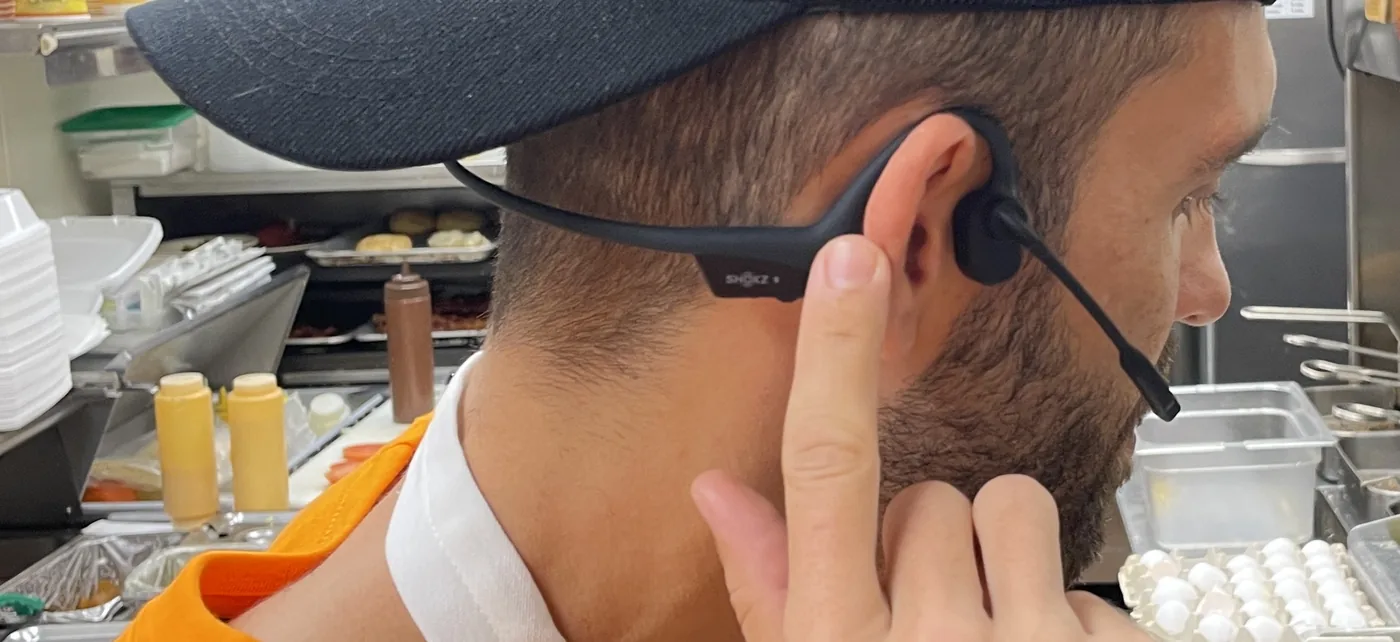
Press button, ask question.
An API request is sent to Anthropic with the text and prompt instructions. If there was a previous exchange then that gets included as well so follow-up questions have context. For example, if I ask something like, “What goes on the Little Tator?” After it replies, I can ask a follow-up question like “Does it come with a biscuit?” and because the previous exchange is included in the prompt, it knows I’m still referring to the Little Tator.
Along with the spoken answer, a ‘build card’ for the item pops up on screen, laid out just like the build boards in the kitchen.
- On phoneTap or clickA tap on the screen or a click on the headset button starts listening.
- On phoneSpeech → textApple’s on-device speech recognition turns the question into text. Stops on “over” or a short pause.
- NetworkText → ClaudeOne request to Anthropic with the question, the master menu and prompt instructions, plus the last exchange for follow-ups.
- On phoneSpeak + showThe answer is read out loud, and the item’s build card pops up on screen.
When responses come back from Claude, they’re spoken out loud by Apple’s on-device speech synthesizer…aka Zoe. I tried playing around with an OpenAI cloud voice that sounded a lot more natural, but it was noticeably slower and less consistent, so I went back to Zoe for now.
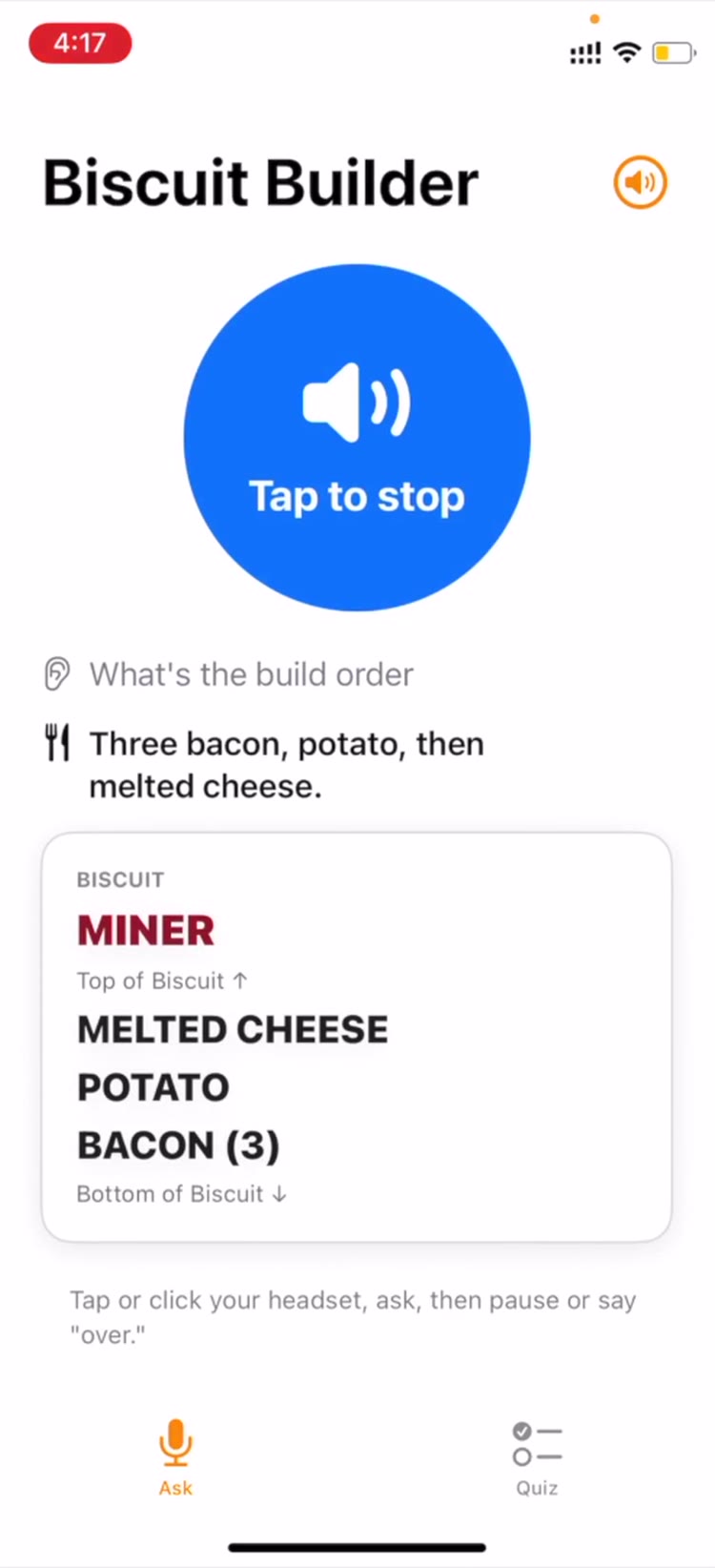
A few more clips of Ask mode in action. Sound on.
Quiz mode
Quiz mode is just another way to engage with the same core menu and kitchen information through interactive text and images.
There are a few different quiz types: build a biscuit from the bottom up by tapping the ingredients in order, name an item from its ingredients, name a biscuit from a picture, or answer quick multiple-choice fact questions like “Melted or slice?”, “How many bacon?”, “Does it get potato?”, and “Which fryer button?”
I can pick a category like biscuits or breakfast platters to focus on one part of the menu, and anything I get wrong comes back around more often until I get it right.

Build It. Stack it bottom to top. Wrong turns red, right turns green.
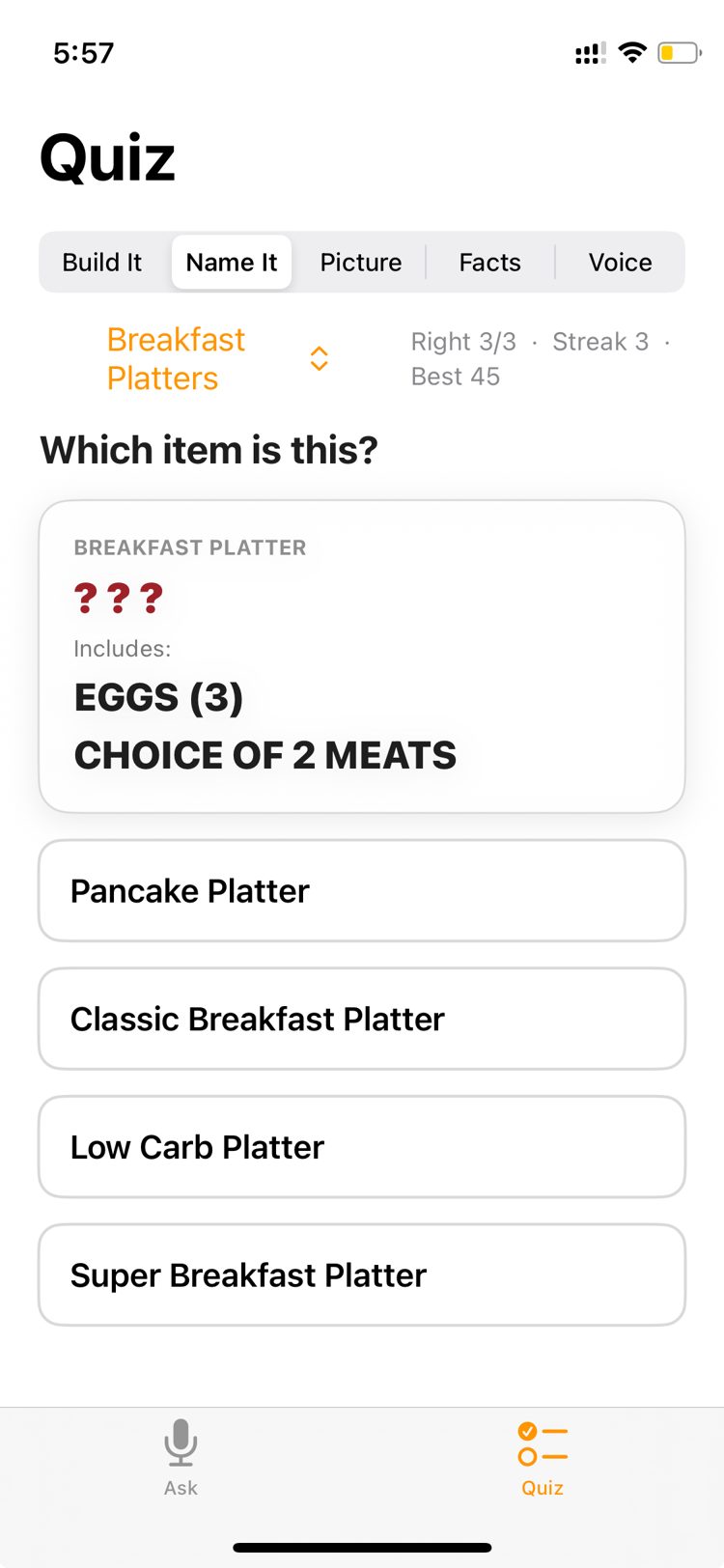
Name It. Which platter is this?

Picture. Name the biscuit, then check its build.
There’s also a voice quiz.
The app asks me a question out loud, like what goes on a biscuit or which fryer button something uses. I answer out loud and it tells me if I got it right, and if not, what the right answer is. The grading happens right on the phone with a word list instead of AI, so it’s instant, free, and the same answer always gets graded the same way.
Again, the whole idea is to engage with the core information through a variety of modalities so when you get into the kitchen, you’re able to hook that learning into the hands-on work of making real orders. So the particular mix of modalities doesn’t really matter, it’s just whatever works.
Costs
The app is using Haiku, Anthropic’s fastest and cheapest model, so each Q&A exchange only costs a small fraction of a cent, about $0.0004. That works out to roughly 4 cents for every hundred questions. Most of that is the menu and prompt instructions, which get sent along with every question.
The API bills by the token, which is roughly three-quarters of a word. Each question sends about 4,000 tokens in and gets about 40 tokens back. Haiku charges $0.10 per million tokens in and $0.50 per million out, so the menu going in costs about $0.0004 and the short answer coming back costs about $0.00002.
I allocated $5 of credit on my Anthropic account to build it, which covers around 12,000 questions. So far the whole thing, building and testing included, has cost me 18 cents.
Tap to enlarge
For now the app only runs on my own phone. To put it on anyone else’s, I’d need Apple’s paid developer account, $99 a year, to share it through TestFlight or the App Store.
Messages API vs. Managed Agents
While I was building this I got an email from Anthropic about their new Managed Agents. In the email they compare Managed Agents directly to the Messages API, which is what the Biscuit Builder app is built on.
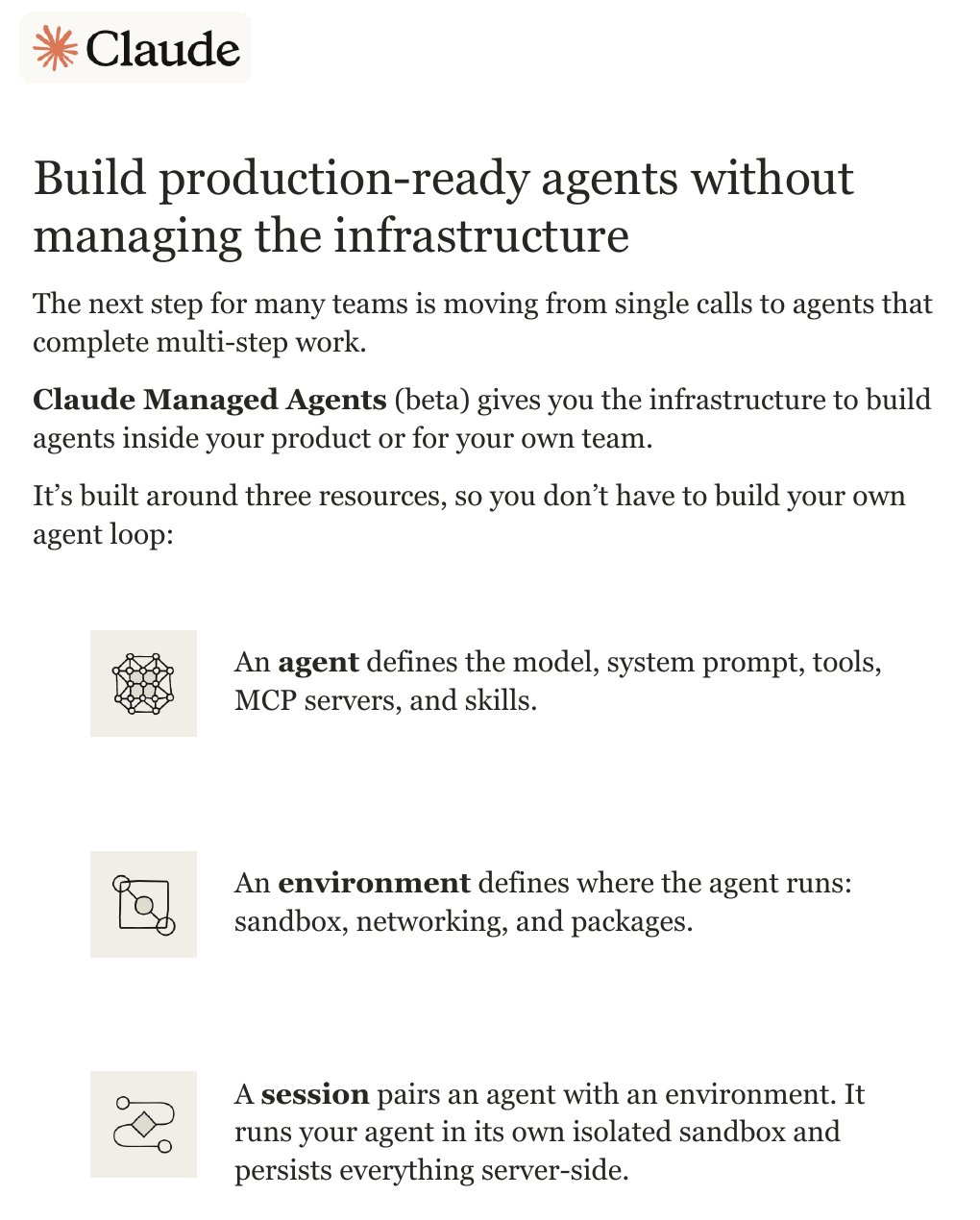
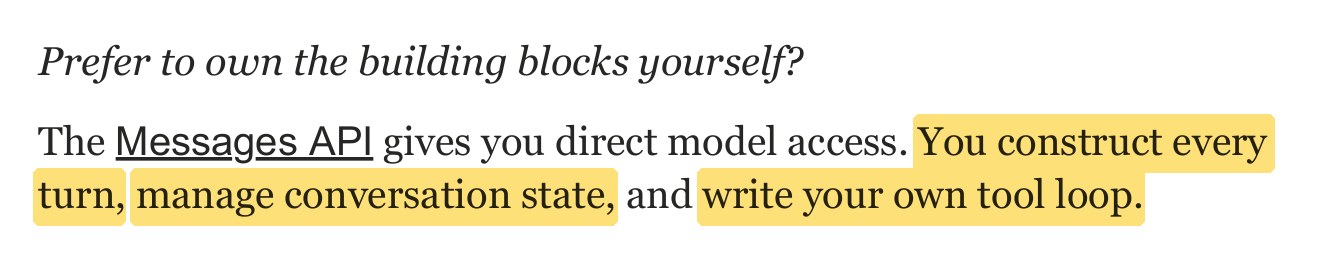
Here’s how their description translates to the Biscuit Builder example:
- “You construct every turn”
- Every time I ask a question, the app builds the whole request from scratch: the answer rules, all 48 items of the master menu, and my question. Claude doesn’t hold on to anything between questions, so if the menu isn’t in the request, Claude doesn’t know it. That’s also why most of the cost per question is the menu, not the question.
- “Manage conversation state”
- Claude has no memory between requests, so the app keeps track of the conversation itself. It saves the previous exchange and sends it along with the next question. That’s how “Does it come with a biscuit?” knows I still mean the Little Tator. After about 90 seconds of quiet the app clears it, so a new question starts fresh.
- “Write your own tool loop”
- Biscuit Builder doesn’t have one, because it doesn’t need one. Claude never has to go look anything up; everything it needs is already in the request. The closest thing is a hidden tag at the end of every answer, like “ITEM: Mickey,” that the app reads to pick which build card to show.
- If I wanted it to check something live, like today’s specials, I’d have to write the loop myself: Claude asks for the lookup, the app runs it and sends back the result, and that repeats until Claude can answer. For one quick lookup like that, the loop is small and easy to write myself. Managed Agents is for when that loop gets big or complex: lots of steps, long jobs, or work that needs its own sandbox to run code and handle files.
So it’s not either/or. It’s more of a spectrum, and where an app falls on that spectrum depends on what the job needs and what it can afford in time and cost. Tap each point to compare.
If I know Claude will always need the specials, the app can fetch them first and add them to the request, and it stays a single call.
If Claude only sometimes needs them, a small tool loop does the job. The loop would send a request back to the app only when needed, asking for the specials. The app would fetch them from a set location and return them to Claude, adding one extra round trip to the original call.
If the work turns into many steps, or takes minutes instead of seconds, that’s when a managed agent starts to make sense. Using an agent to grab one small fact like the specials would be like sending a delivery truck to pick up a pack of gum.
So Biscuit Builder makes a single call: it packs everything Claude needs into one request, and one answer comes back. Claude never leaves that box.
An agent, on the other hand, gets a goal instead of a full package.
It works inside a sandbox with “rooms” attached, like web search, files, or a code runner. It goes into a room, does one kind of work, comes back with the result, and decides where to go next until the job’s done. Along the way the session saves each step, so a long job can pick up where it left off.
I asked Claude to build an interactive explainer to illustrate the difference between these two concepts. Press run on each one to compare. I added a dropdown to the agent demo so you can see how different jobs would call different tools.
One trip vs. many rooms
The answer has to come back in about a second and cost almost nothing, and everything Claude needs is already in the menu I send with each question. An agent makes more sense for longer jobs where it has to go find things out along the way. When you’re standing in a kitchen with greasy hands trying to remember what kind of meat goes on a biscuit sandwich, a single call is what you want.
Just a few years ago building a simple tool like this would have been completely impractical. It would have cost tens of thousands of dollars and taken months to get a working first version. Even just turning the build board and other photos around the kitchen into structured data would have required manual typing. Now it’s a weekend project for anyone with an idea or a problem who can describe it in plain language.
As for the kitchen, I don’t have anything to compare to, but out of the handful of people who started, I’m the only one still there so I feel like my learning system has been effective so far.